Online meetings have become an essential part of how people communicate, work, study, and manage businesses. Whether someone is attending a remote job interview, conducting a client consultation, teaching an online class, or organizing a team discussion, having a reliable video-conferencing platform can make everyday communication much easier.
Google Meet is one of the most widely used options for these activities. Its connection with Google accounts, Gmail, and Google Calendar makes it convenient for people who already use Google’s services. However, not everyone needs a paid subscription to host or join online meetings.
This raises an important question: is google meet free 2026, or do users need to purchase a Google Workspace subscription to access its main features?
The short answer is yes. Google Meet offers a free version that allows users with personal Google accounts to host video meetings with up to 100 participants. However, group meetings involving three or more people are generally limited to 60 minutes, and certain advanced features require a paid plan.
In this guide, we will explore Google Meet’s free features, meeting limits, paid plans, pricing considerations, and the differences between personal and business accounts so you can decide which option suits your needs.
Is Google Meet Free in 2026?
Yes, Google Meet is free to use in 2026 for individuals with a personal Google Account. Users can create video meetings, invite other participants, share their screens, and communicate through audio and video without purchasing a subscription.
The free version is suitable for everyday communication, including:
- Personal video calls with friends and family
- Online meetings with colleagues
- Remote interviews
- Student discussions and study groups
- Small business meetings
- Freelance client consultations
- Online presentations
However, free access does not mean every Google Meet feature is available without restrictions.
Google applies certain limits to meeting duration and participant numbers. Advanced features, such as meeting recording, breakout rooms, attendance tracking, and some AI-powered tools, are available through eligible paid subscriptions.
For most personal users, the free version provides enough functionality to manage regular online conversations without additional expenses.
What Do You Get with the Free Google Meet Plan?
Google Meet includes several useful features in its free version. These tools make it possible to organize and participate in online meetings without needing a paid business account.
Let’s examine the main features.
1. Free Video and Audio Meetings
The most important feature is the ability to host and join video meetings without paying a subscription fee.
Users can start a meeting immediately or schedule one for later. They can invite participants through a meeting link and communicate using their device’s camera and microphone.
This is particularly useful for freelancers, students, and individuals who regularly communicate with people in different locations.
2. Up to 100 Participants
Google Meet’s free personal account supports up to 100 participants in a single meeting.
This capacity is sufficient for many everyday situations, such as:
- Small business discussions
- Online training sessions
- Family gatherings
- Classroom discussions
- Group interviews
- Team meetings
If you need to host larger meetings, certain Google Workspace subscriptions offer higher participant limits.
3. Screen Sharing
Screen sharing is another useful feature available to free Google Meet users.
It allows participants to present information from their computers, making it easier to explain ideas and collaborate during discussions.
For example, a freelancer can share a website design with a client, a student can present research, or a business owner can demonstrate a software application.
This feature is especially valuable when verbal explanations alone are not sufficient.
4. Live Captions
Google Meet offers live captions that display spoken words as text during supported meetings.
This can help participants follow conversations in environments where listening is difficult or when they prefer reading along.
Caption availability and supported languages may depend on the account, device, and feature configuration.
5. Mobile and Desktop Access
Users can access Google Meet through a supported web browser on a computer or through its mobile application.
This flexibility allows people to join meetings from different locations without relying on a single device.
For example, someone working from an office can use a desktop computer, while another participant can join the same meeting using an Android phone or iPhone.
6. Basic Meeting Controls
Google Meet provides several controls to help participants manage their meeting experience.
These include:
- Turning the camera on or off
- Muting and unmuting the microphone
- Choosing a preferred audio device
- Changing the meeting layout
- Using emoji reactions
- Raising a virtual hand
- Managing screen-sharing permissions
These features make ordinary online meetings easier to organize and manage.
Google Meet Free Plan: Meeting Limits in 2026
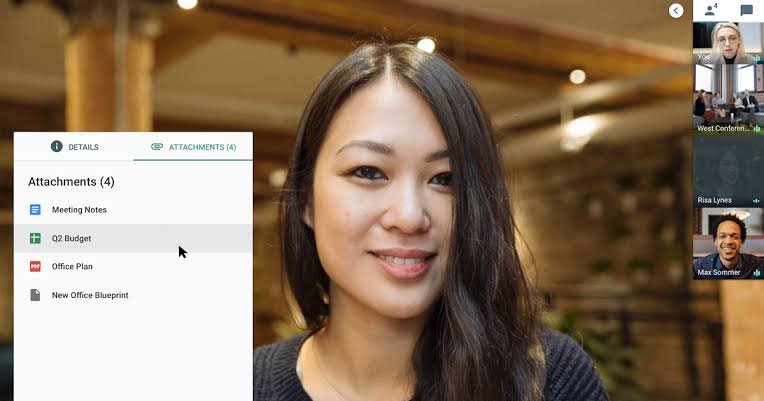
Although Google Meet offers free access, users should understand its meeting restrictions before planning longer discussions or large online events.
Here is a breakdown of the main limits for personal Google accounts.
| Feature | Free Personal Account |
|---|---|
| Subscription cost | Free |
| Maximum participants | 100 |
| One-to-one meeting duration | Up to 24 hours |
| Group meeting duration | Up to 60 minutes |
| Screen sharing | Available |
| Live captions | Available |
| Mobile application | Available |
| Browser access | Available |
| Meeting recording | Not included as a standard free feature |
| Breakout room creation | Requires an eligible paid edition |
| Advanced attendance tracking | Paid editions |
These limits are based on Google’s published Meet requirements and feature documentation. https://support.google.com/meet/answer/7317473
How Long Can You Use Google Meet for Free?
One of the most common questions about Google Meet concerns meeting duration.
The free version has different time limits depending on the number of participants.
One-to-One Meetings
When only two people participate, a meeting can last up to 24 hours. This makes Google Meet useful for longer individual conversations, remote consultations, and interviews.
Group Meetings
When three or more people participate, the free version limits the meeting to 60 minutes.
Google sends participants a notification around the 50-minute mark to indicate that the meeting is approaching its time limit.
If the discussion needs more time, the host may need to upgrade to an eligible subscription or arrange another meeting.
How Many People Can Join Google Meet for Free?
A personal Google Account supports a maximum of 100 participants in one meeting.
This means a host can invite up to 99 additional people, assuming everyone can join successfully and the meeting is operating within the account’s applicable limits.
For businesses organizing larger training sessions, webinars, or company-wide meetings, a paid Google Workspace edition may be more appropriate.
Google Meet Free vs Paid: What’s the Difference?
The biggest difference between free Google Meet and its paid offerings is not simply the number of participants. Paid subscriptions also provide additional meeting management, collaboration, recording, and administrative features.
Google Workspace offers several editions with different capabilities.
Free Google Meet
The free version is designed primarily for personal communication and basic online collaboration.
It includes:
- Video and audio meetings
- Up to 100 participants
- Screen sharing
- Live captions
- Basic meeting controls
- Browser and mobile access
- Meeting links and scheduling
For individuals who only need occasional meetings, these features may be sufficient.
Google Workspace Business Starter
Business Starter is designed for smaller organizations that need professional Google Workspace tools.
Its Meet features include meetings of up to 100 participants and longer meeting durations than the free personal plan.
It also provides business-oriented account management and access to other Google Workspace applications.
Google Workspace Business Standard
Business Standard offers additional meeting capabilities for organizations that need more advanced collaboration.
Depending on the current plan and feature availability, these include:
- Meetings with up to 150 participants
- Meeting recording
- Breakout rooms
- Polls and Q&A
- Attendance tracking
- Transcription features
- Additional collaboration tools
Google Workspace Business Plus
Business Plus is intended for organizations that need larger meetings and additional administrative capabilities.
Its Google Meet offering supports up to 500 participants and includes advanced meeting features such as recording, attendance tracking, and other collaboration tools.
The following table summarizes the main differences.
| Feature | Free Personal | Business Starter | Business Standard | Business Plus |
|---|---|---|---|---|
| Maximum participants | 100 | 100 | 150 | 500 |
| Maximum meeting duration | 60 min for groups | 24 hours | 24 hours | 24 hours |
| Screen sharing | Yes | Yes | Yes | Yes |
| Meeting recording | No | No | Yes | Yes |
| Breakout rooms | No | No | Yes | Yes |
| Polls and Q&A | No | No | Yes | Yes |
| Attendance tracking | No | No | No | Yes |
The table reflects standard business-edition features. Google may change feature availability, and some capabilities depend on administrator settings or additional subscriptions. https://knowledge.workspace.google.com/admin/meet/compare-meet-features-across-google-workspace-editions
How Much Does Google Meet Cost in 2026?
Google Meet does not require a separate subscription when used through a personal Google Account.
However, users who want advanced features can purchase an eligible Google Workspace or Google One plan.
Google Workspace pricing varies according to the subscription, billing country, payment cycle, and promotional offers.
For business users, the main Google Workspace editions to investigate are:
Business Starter: Suitable for small organizations that need professional business email, collaboration tools, and longer Google Meet sessions.
Business Standard: A suitable option for teams that need meeting recording, breakout rooms, and additional collaboration features.
Business Plus: Designed for businesses requiring larger meetings, more advanced administration, and additional security capabilities.
Rather than relying on outdated pricing figures, check Google’s official pricing page for current rates in your country.
Official pricing reference: https://workspace.google.com/pricing.html
Does Google Meet Allow Free Meeting Recording?
No. Meeting recording is not included as a standard feature of the free personal Google Meet experience.
This is an important limitation for users who regularly conduct interviews, training sessions, presentations, or business discussions and need to save them for later reference.
Recording is available through eligible paid Google Workspace editions, including Business Standard and Business Plus.
Depending on the subscription and administrator settings, recordings are saved to the organizer’s Google Drive.
If you need to record meetings regularly, check the specific subscription’s recording eligibility before purchasing it.
How to Start a Free Google Meet Meeting
Getting started with Google Meet is relatively simple. You do not need advanced technical knowledge or a paid subscription to create a basic personal meeting.
Follow these steps:
Step 1: Open Google Meet
Visit the official website:
You can access it through a supported web browser on your computer.
Step 2: Sign In to Your Google Account
Use your personal Google Account to sign in.
If you do not already have an account, you can create one through Google’s account registration process.
Step 3: Create a New Meeting
Select the option to create a new meeting.
Google Meet provides options to start an instant meeting, create a meeting for later, or schedule a meeting through Google Calendar.
Step 4: Share the Meeting Link
After creating the meeting, copy its invitation link and share it with the people you want to invite.
You can send the link through email, messaging applications, or other communication channels.
Step 5: Allow Camera and Microphone Access
Your browser or mobile application may request permission to use your camera and microphone.
Allow the required permissions so participants can see and hear you.
Step 6: Start Your Meeting
Once everything is ready, you can begin communicating with other participants.
You can mute your microphone, disable your camera, share your screen, and use other available meeting controls.
Is Google Meet Free Enough for Businesses?
For many small businesses, Google Meet’s free version provides enough functionality for routine communication.
A freelancer can conduct client meetings, a startup can organize internal discussions, and a small business owner can arrange online consultations without paying for a separate video-conferencing subscription.
However, business requirements can become more complex as an organization grows.
For example, a company conducting regular training sessions may need meeting recordings. A team managing multiple departments may require attendance reports, breakout rooms, or additional administrative controls.
In these situations, upgrading to Google Workspace may offer better long-term value.
Here is a practical way to decide:
Free Google Meet may be sufficient if:
- You organize occasional online meetings.
- Your group meetings generally finish within one hour.
- You do not need built-in meeting recordings.
- Your meetings rarely exceed 100 participants.
- You primarily need video calls and screen sharing.
A paid plan may be more appropriate if:
- You regularly organize meetings longer than one hour.
- You need built-in recording and transcription.
- You manage larger teams or training sessions.
- You need attendance tracking and breakout rooms.
- You require centralized account administration.
The right choice depends on how frequently you use online meetings and which features your organization actually needs.
Google Meet vs Other Video Conferencing Platforms
Google Meet is not the only platform available for online meetings. Other popular options include Zoom and Microsoft Teams.
Each platform offers different features, limitations, and subscription options.
Google Meet vs Zoom
Google Meet is particularly convenient for users who already rely on Gmail, Google Calendar, and other Google services.
Zoom offers a range of meeting and collaboration tools, making it another popular choice for personal and professional communication.
Both platforms offer free plans with participant and duration restrictions. However, their limits and additional features differ.
Google Meet vs Microsoft Teams
Microsoft Teams is closely integrated with Microsoft 365 applications, making it particularly useful for organizations that depend on Word, Excel, Outlook, and other Microsoft products.
Google Meet may be more convenient for users who prefer Google’s ecosystem and want a straightforward browser-based meeting experience.
Before choosing a platform, compare its meeting limits, recording capabilities, collaboration tools, and subscription costs.
Frequently Asked Questions (FAQs)
1. Is Google Meet free in 2026?
Yes. Google Meet offers a free version for personal Google Account users. It supports up to 100 participants, with group meetings limited to 60 minutes and one-to-one meetings lasting up to 24 hours.
2. Do I need a Gmail account to use Google Meet?
You need a Google Account to create a free personal Google Meet meeting. However, a person invited to a meeting may be able to join without a Google Account if the organizer allows access. Organizational meeting policies may differ.
3. How many participants can join Google Meet for free?
A personal Google Account supports up to 100 participants in one meeting. Higher participant limits are available through certain Google Workspace subscriptions.
4. Does Google Meet have a 60-minute limit?
Yes. Free personal accounts have a 60-minute limit for meetings involving three or more participants. One-to-one meetings can last up to 24 hours.
5. Can I use Google Meet for free on my phone?
Yes. You can download the Google Meet application on a compatible Android or iOS device and use your personal Google Account to join or create meetings.
6. Can I record Google Meet meetings without paying?
Built-in meeting recording is not included in the standard free personal plan. You need an eligible paid subscription to access Google’s recording feature.
7. Is Google Meet free for students?
Students with personal Google Accounts can use the free version. Educational institutions may also provide access through Google Workspace for Education, depending on their subscription and administrator settings.
8. Is Google Meet better than Zoom?
It depends on your requirements. Google Meet is convenient for people using Google’s ecosystem, while Zoom offers its own set of meeting and collaboration features. Comparing their free-plan limits and paid features can help you choose.
9. Can I host a Google Meet meeting without downloading an application?
Yes. You can use a supported web browser on your computer to create and join meetings through the official Google Meet website. A mobile application is also available for smartphones.
10. Is Google Workspace required to use Google Meet?
No. A personal Google Account is sufficient to use the free version. Google Workspace is optional and provides additional business-oriented features and administrative capabilities.
Final Verdict: Is Google Meet Free in 2026?
Google Meet remains a practical free video-conferencing solution in 2026. Its personal version provides the essential tools needed for everyday online communication, including video calls, screen sharing, live captions, and meetings with up to 100 participants.
The main limitation is the 60-minute duration for group meetings involving three or more participants. Additionally, features such as built-in recording, breakout rooms, and advanced attendance management require eligible paid subscriptions.
For individuals, students, freelancers, and small businesses with basic meeting requirements, the free version can be more than enough. Organizations that need longer group meetings, advanced collaboration tools, or centralized administration may benefit from Google Workspace.
Ultimately, is google meet free 2026 is a question with a straightforward answer: yes, you can use Google Meet without paying, but the available features depend on your account type and subscription.
Before upgrading, review your actual meeting requirements and compare the available plans. This will help you avoid paying for features you do not need while ensuring that your chosen platform supports your communication goals.