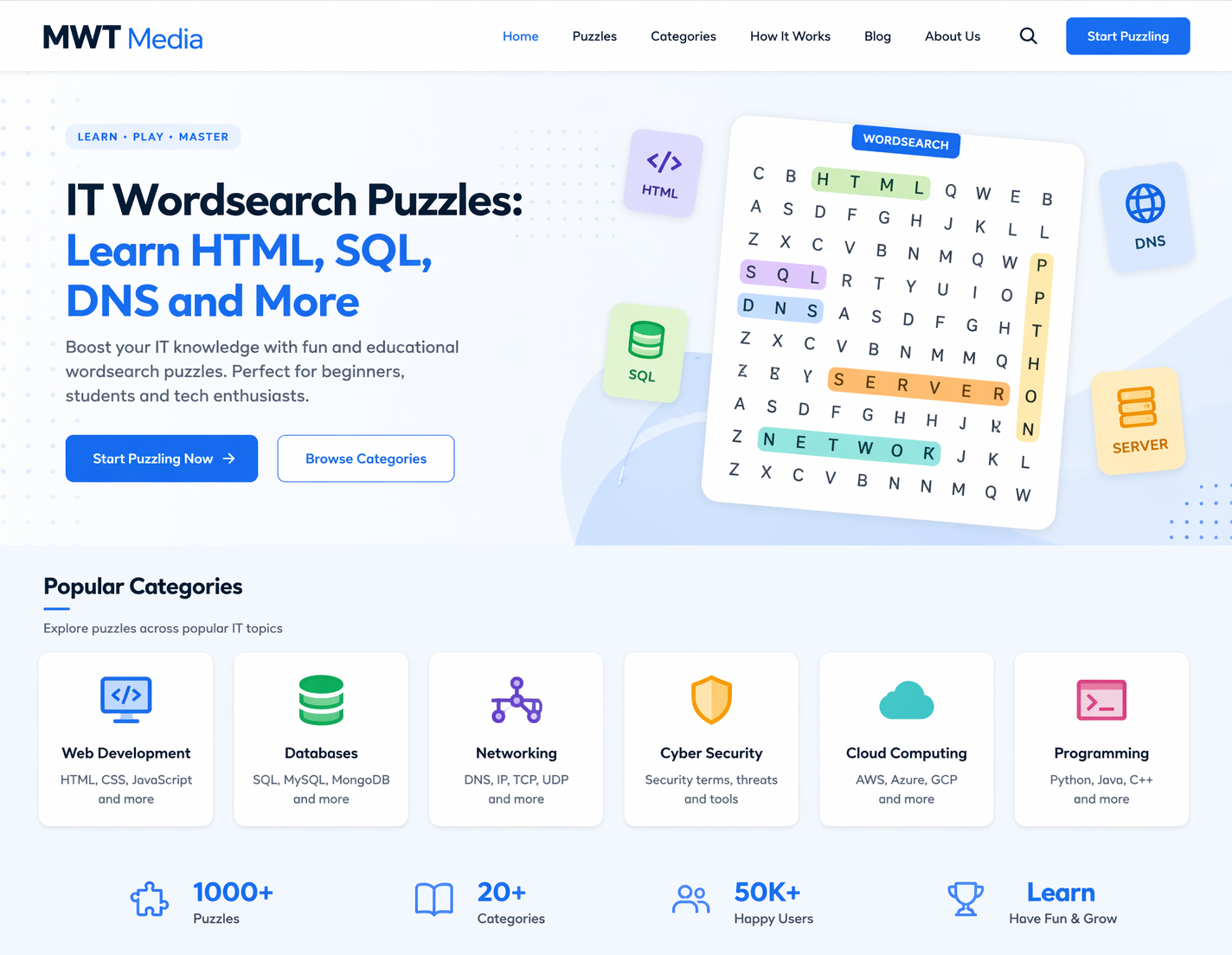
Technology education does not have to mean staring at dense documentation. An IT wordsearch is a fun, low-pressure activity that helps you recognize, recall, and remember the technical vocabulary that powers the digital world. In this article, we explore how IT wordsearch puzzles work, which topics they cover, and how you can use them to sharpen your tech knowledge — whether you are studying for a certification or just curious about how the internet works.
What Is an IT Wordsearch?
An IT wordsearch is a word puzzle built around information technology vocabulary. Instead of everyday words, the grid is filled with terms like HTML, SQL, DNS, API, LAN, and more. These puzzles are popular in classrooms, online learning platforms, and corporate training environments because they combine visual pattern recognition with technical language exposure.
The core idea is simple: a list of IT-related words is hidden inside a grid of letters, arranged horizontally, vertically, or diagonally. Your job is to find and highlight each one. The repetition of spotting, reading, and recognizing these terms helps commit them to memory in a natural, enjoyable way.
Sample IT Wordsearch Grid
Here is a small demonstration grid with three common IT terms highlighted — HTML (blue), SQL (green), and DNS (orange):
HTML
SQL
DNS
Why Use an IT Wordsearch to Learn Tech Terms?
There is strong educational evidence that word puzzles improve vocabulary retention. When applied to IT topics, an IT wordsearch offers several specific advantages for learners at every level.
1. Reinforces spelling and recognition
Many IT acronyms and terms look similar — think DNS vs DHCP, or HTML vs HTTP. Searching for these words in a puzzle trains your eye to spot subtle differences, reducing confusion when you encounter them in real documentation or exams.
2. Low-stakes learning environment
Unlike a multiple-choice quiz, an IT wordsearch removes the fear of failure. There are no wrong answers — only words waiting to be found. This makes it an ideal warm-up activity before a deeper study session or a wind-down exercise after learning new material.
3. Works across all skill levels
A beginner might be looking up HTML and URL, while an advanced learner works with TCP/IP, VLAN, and OSPF. IT wordsearch puzzles can be tiered by difficulty, making them useful from the first day of a course right through to professional certification revision.
4. Ideal for classroom and self-study
Teachers frequently use IT wordsearch activities at the start of a new unit to introduce vocabulary, or at the end as a review exercise. For self-learners, a quick puzzle is a satisfying way to test whether key terms have stuck.
Key IT Topics Covered in Wordsearch Puzzles
A well-designed IT wordsearch can cover virtually any area of information technology. Here are the most common topic areas and the terms you might find in each:
HTML — The Most Searched Term in IT Wordsearch Puzzles
If you have ever done an IT wordsearch, chances are HTML appeared on the word list. And for good reason — HyperText Markup Language is the foundation of every webpage on the internet. Understanding HTML starts with recognizing its key terms: tags, attributes, elements, nesting, and structure.
Spotting HTML in a wordsearch is the first step. Understanding what it does is the next. HTML defines the skeleton of a webpage — headings, paragraphs, images, links, and forms all rely on HTML to exist on screen.
SQL — Database Language Made Memorable
SQL (Structured Query Language) is how developers and analysts communicate with databases. It is one of the most in-demand skills in technology today, yet many beginners struggle to remember its core commands. An IT wordsearch focused on SQL might include terms like SELECT, FROM, WHERE, GROUP BY, JOIN, and ORDER BY.
Encountering these words repeatedly in a puzzle context — even without their full syntax — helps the brain index them as meaningful units. When you later see WHERE in a query, your memory has already been primed.
DNS — Understanding the Internet’s Address Book
DNS stands for Domain Name System, and it is one of the most fundamental yet overlooked technologies in networking. Every time you type a website address into a browser, DNS is working silently in the background to translate that address into an IP number your computer can use.
In an IT wordsearch, DNS often appears alongside related terms such as RECORD, ZONE, TTL, A-RECORD, CNAME, and MX. Learning these terms through puzzle play builds the vocabulary needed to understand networking documentation, troubleshooting guides, and certification study materials.
How to Create Your Own IT Wordsearch
Making a custom IT wordsearch is straightforward, and several free tools online let you generate one in minutes. Here is a simple process:
Start by choosing a topic — for example, networking basics or Python programming keywords. Then write a list of 10 to 20 relevant terms. Paste them into a wordsearch generator, choose your grid size (10×10 is good for beginners, 15×15 for advanced), and download or print the result. For classroom use, add a word bank at the bottom so learners know what they are looking for.
Custom IT wordsearch puzzles are especially useful for study groups, corporate onboarding sessions, and revision before exams such as CompTIA A+, Network+, or Security+.
IT Wordsearch in the Classroom and Beyond
Educators have long recognized that engagement is the gateway to retention. When students are actively searching — eyes scanning, brain pattern-matching, hand highlighting — they are far more likely to remember a term than if they simply read it in a list. This is why the IT wordsearch has become a staple in computing classrooms from secondary school through to university-level courses.
Beyond formal education, IT wordsearch puzzles are popular among hobbyist learners, career switchers brushing up on tech vocabulary, and professionals preparing for recertification. Even spending ten minutes on a well-designed puzzle before a study session has been shown to prime the brain for deeper learning.
Frequently Asked Questions
Conclusion
An IT wordsearch is far more than a simple pastime — it is a proven, accessible, and enjoyable technique for building technology vocabulary. Whether you are searching for HTML in a 10×10 grid, tracking down SQL commands, or hunting for DNS across a diagonal row of letters, each discovery reinforces the technical language that underpins the modern digital world. Start with a basic puzzle today, and you may be surprised how quickly the terminology begins to feel familiar.

Daniel
Daniel Addam is an SEO & Content Writer at MWT Media, specialising in crafting data-driven content that ranks. With a deep understanding of search engine optimisation, keyword strategy, and audience engagement, Daniel creates compelling articles, blog posts, and web copy that not only attract organic traffic but convert readers into customers. At MWT Media, Daniel plays a key role in developing content strategies that align with client goals — from on-page SEO optimisation to high-quality guest posting campaigns. His work is rooted in research, precision, and a commitment to delivering measurable results. When it comes to digital content, Daniel believes that great writing and smart SEO are not mutually exclusive — and his work at MWT Media reflects exactly that.